Following are the program updates and notes. If you have missed an update don’t worry. You can simply re-download the software from our website directly from this link:
v2.0.0.31/32 – March, 2026
What’s New
Enhanced license management. This is a required update that will enable the software to switch to node-locked activations and deactivations. Node-locked licenses associate your software with a specific machine, allowing administrators to monitor who is currently active.
In addition to managing your license directly from the software, you will have the capability to deactivate license keys remotely through the “My Account” portal (View Licenses -> Manage Sites). This will be very helpful recovering lost seats, e.g., when a PC is decommissioned without prior deactivation.
This new licensing system will be fully implemented by the end of March 2026 and will necessitate that existing active users re-register, which will attach the machine name and Windows username to the license key. This is a one-time activation and will not be counted against the total permitted activations.
If your software fails to register it may mean that it has not been updated to the latest version. Click [Use Trial] instead. Then close and reopen the software to allow it to automatically update.
v2.0.0.30 – September, 2025
What’s New
Channel Studio 2026 mandatory update includes miscellaneous bug fixes, security enhancements and user interface improvements.
v2.0.0.27 – March, 2025
What’s New
Security (code signing) update. A code signing certificate is a digital certificate that verifies the identity of a software developer and the integrity of their code. It’s used by developers to digitally sign software, drivers, and executables such as Channel Studio.
Code signing certificates assure users that the code they’re downloading is genuine and hasn’t been tampered with. Code signing certificates are used for many types of Windows-based software and applications. From time-time we are required to update Hydrology Studio’s certificate(s). This update facilitates that.
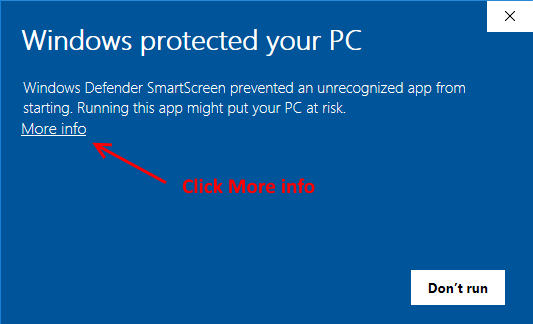
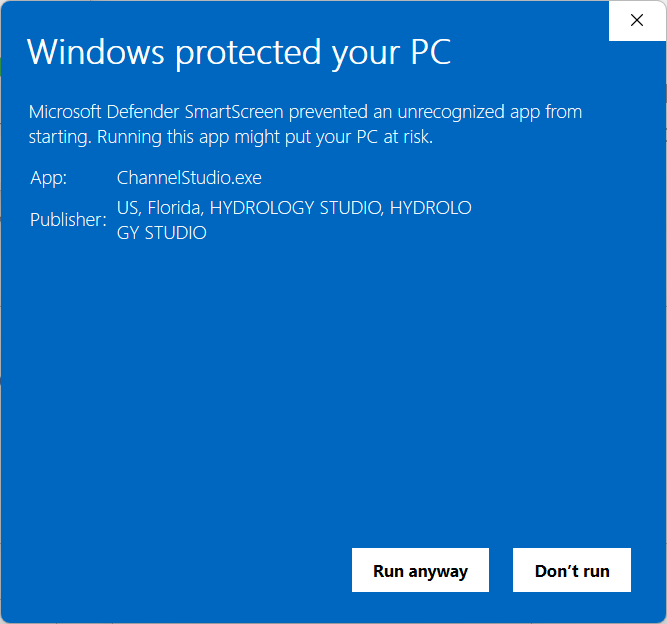
During the update download you might be presented with the following Windows Defender screen. Please click “More info”. Then click [Run anyway]. The update will proceed.